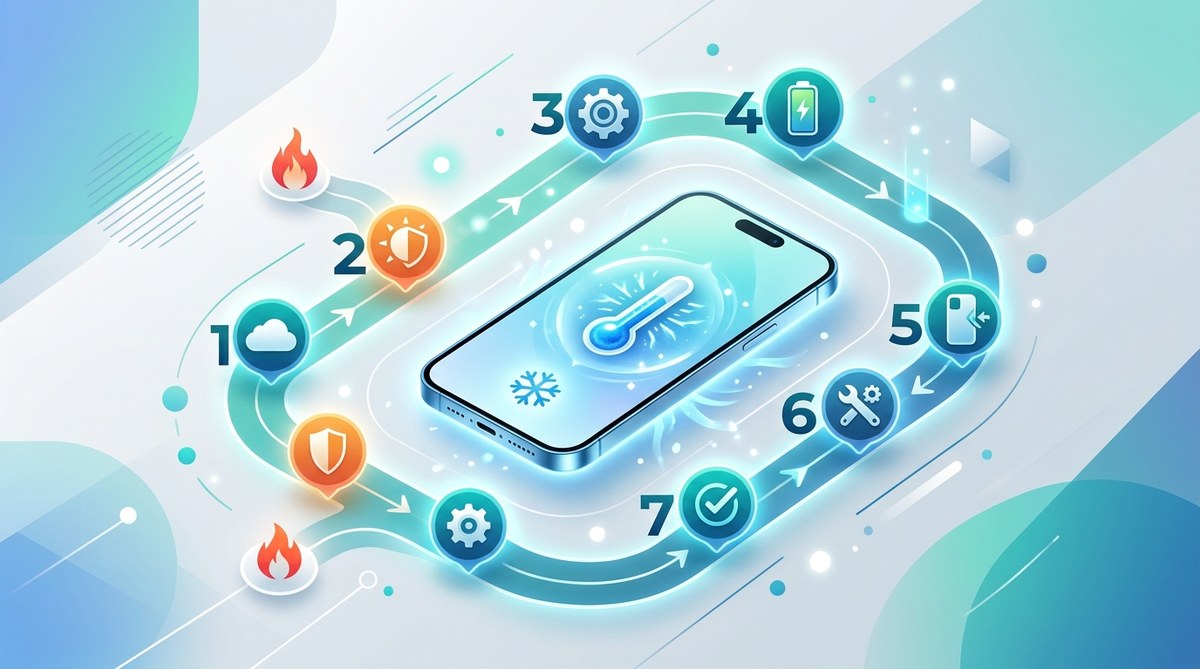
You are on a video call with your family, and suddenly your iPhone feels like a hot brick. The screen dims, apps stutter, and a warning appears: “iPhone needs to cool down.” This happens a lot in 2026, especially after an iOS update. You are not alone, and the good news is that you can fix this problem in minutes. iPhone overheating after an iOS update is often caused by background indexing, aggressive app refreshes, or battery wear. You can fix it by removing the case, closing unused apps, adjusting settings like location and background refresh, updating apps, checking battery health, and resetting all settings if needed. Most solutions work in under 10 minutes and do not require a trip to the store. ## Why Your iPhone Gets Hot After an iOS Update When you install a new version of iOS, your device does a lot of behind the scenes work. It reindexes photos and messages, optimizes storage, and updates app data. This extra processing generates heat. Combine that with a silicone case or a hot summer day, and you have a recipe for overheating. Other common causes include: ## 7 Steps to Cool Down Your iPhone Follow these steps in order. Most will reduce heat immediately. 1. **Take off the case and move to a cooler spot.** Silicone and leather cases trap heat. Set your iPhone on a hard surface away from direct sunlight. If you are in a room with air conditioning, sit near a vent. If you are outside and it is hot, go indoors or at least into the shade. 2. **Close all background apps.** Swipe up from the bottom of the screen and pause, then swipe up on each app card to close it. This stops apps that are still running after the update from draining the processor. 3. **Turn off power hungry features.** Go to Settings and switch off Bluetooth, Wi Fi (if not needed), and Location Services for apps that do not require it. Lower your screen brightness or enable Auto Brightness. Disable Background App Refresh for all but your essential apps. This step alone can drop the temperature by several degrees. For more ways to save battery and reduce heat, read our guide on [how to fix common iPhone battery drain issues quickly](https://iphonesupportnumber.com/how-to-fix-common-iphone-battery-drain-issues-quickly/). 4. **Update all your apps.** Open the App Store, tap your profile icon, and select Update All. Old apps can conflict with the new iOS and cause excessive processing. This is especially important if you updated iOS but not your apps. 5. **Check your battery health.** Go to Settings > Battery > Battery Health & Charging. If Maximum Capacity is below 80 percent, the battery is degraded and may overheat under load. Consider a replacement. A healthy battery runs cooler and lasts longer. For more ways to extend battery life, see [optimize your iPhone battery life with simple settings tweaks](https://iphonesupportnumber.com/optimize-your-iphone-battery-life-with-simple-settings-tweaks/). 6. **Reset all settings.** This does not erase your personal data. Go to Settings > General > Transfer or Reset iPhone > Reset > Reset All Settings. It will reset Wi Fi passwords, wallpaper, and accessibility options, but it often fixes glitches that cause overheating. After the reset, set up your phone again and test if the heat issue is gone. For a full walkthrough, visit our [how to reset iPhone settings without data loss](https://iphonesupportnumber.com/how-to-reset-iphone-settings-without-data-loss/) tutorial. 7. **Contact Apple Support if nothing else works.** If the phone still runs hot after the steps above, it might be a hardware issue. A faulty battery, a damaged charging port, or an internal short can cause persistent overheating. Apple can run diagnostics. ## Common Mistakes That Make Overheating Worse | What You Should Do | What People Often Do Wrong | > Expert tip: Never put your iPhone in the refrigerator or freezer to cool it down. The sudden temperature change can cause condensation inside the device, leading to water damage. Slow cooling is always better. If you are also dealing with sluggish performance, check out [top tips to improve iPhone performance and speed up your device](https://iphonesupportnumber.com/top-tips-to-improve-iphone-performance-and-speed-up-your-device/). ## How to Prevent Overheating Before It Starts Once your iPhone is cool, take these habits to make it stay that way. – **Keep your phone out of direct sunlight.** The dashboard of a car can hit 150 degrees in summer. Your phone will shut down to protect itself. ## When to Call a Professional Most overheating issues go away after following steps 1 through 6. But if your iPhone still gets hot after a full day of normal use, or if you notice swelling under the screen, stop using it immediately. Swollen batteries can be dangerous. Take the device to an Apple Store or an authorized repair center. Also, if the overheating happens only during phone calls or while using the camera, there might be a specific app problem. Try deleting and reinstalling that app. For guidance on persistent app troubles, see [how to fix persistent app crashes on your iPhone](https://iphonesupportnumber.com/how-to-fix-persistent-app-crashes-on-your-iphone/). ## Stay Cool, Stay Productive A hot iPhone does not have to ruin your day. By following these seven steps, you can fix overheating iPhone in 2026 and get back to your calls, games, and videos. Most people see a drop in temperature within five minutes of removing the case and closing apps. Try it right now. Your phone will thank you, and so will your hands.
– A worn battery that struggles to deliver power efficiently.
– Apps that are not updated to match the new iOS version.
– Heavy use of GPS, camera, or graphics while charging.
– Direct sunlight or leaving the phone in a parked car.
|——————-|—————————-|
| Place the phone on a hard, cool surface | Keep it under a pillow or in a pocket |
| Close all apps after an update | Leave dozens of apps open in the background |
| Reduce screen brightness | Crank brightness to maximum to see outside |
| Disable Background App Refresh | Keep it on for every app, including games |
| Charge only with an official Apple cable | Use a cheap third party charger that overheats the battery |
| Update apps immediately after iOS update | Wait weeks without updating, then wonder why apps crash |
– **Avoid charging and gaming at the same time.** Wireless charging creates extra heat. If you must use the phone while charging, remove the case and place it on a hard surface.
– **Update to the latest iOS version.** Apple often releases patches that fix overheating bugs. Go to Settings > General > Software Update and install any available updates.
– **Monitor your storage.** A nearly full phone has to work harder. If you have less than 1 GB free, it is time to clean up. Learn how with [how to manage storage space on your iPhone in 2026](https://iphonesupportnumber.com/how-to-manage-storage-space-on-your-iphone-in-2026/).
Key Takeaway